The Headlamp You Control With a Wave
Every other headlamp makes you find a button in the dark, often with cold or gloved fingers, sometimes while balancing something in your other hand. The motion sensor removes that entirely. One wave and you have light; one wave and it is off. Once you have used it, going back to a button-only lamp feels like a step backward.
🚨 Only a few left in stock
Where hands-free wins
| Situation | Why the sensor helps |
|---|---|
| Carrying gear to the tent | Light on without putting anything down |
| Under the car or sink | Toggle with greasy or wet hands |
| Fishing at night | Light the line while both hands work |
| Walking the dog | Leash in one hand, wave with the other |
Sensor range is a short wave in front of the lamp; a button lets you disable it when you want.
How the infrared sensor actually works
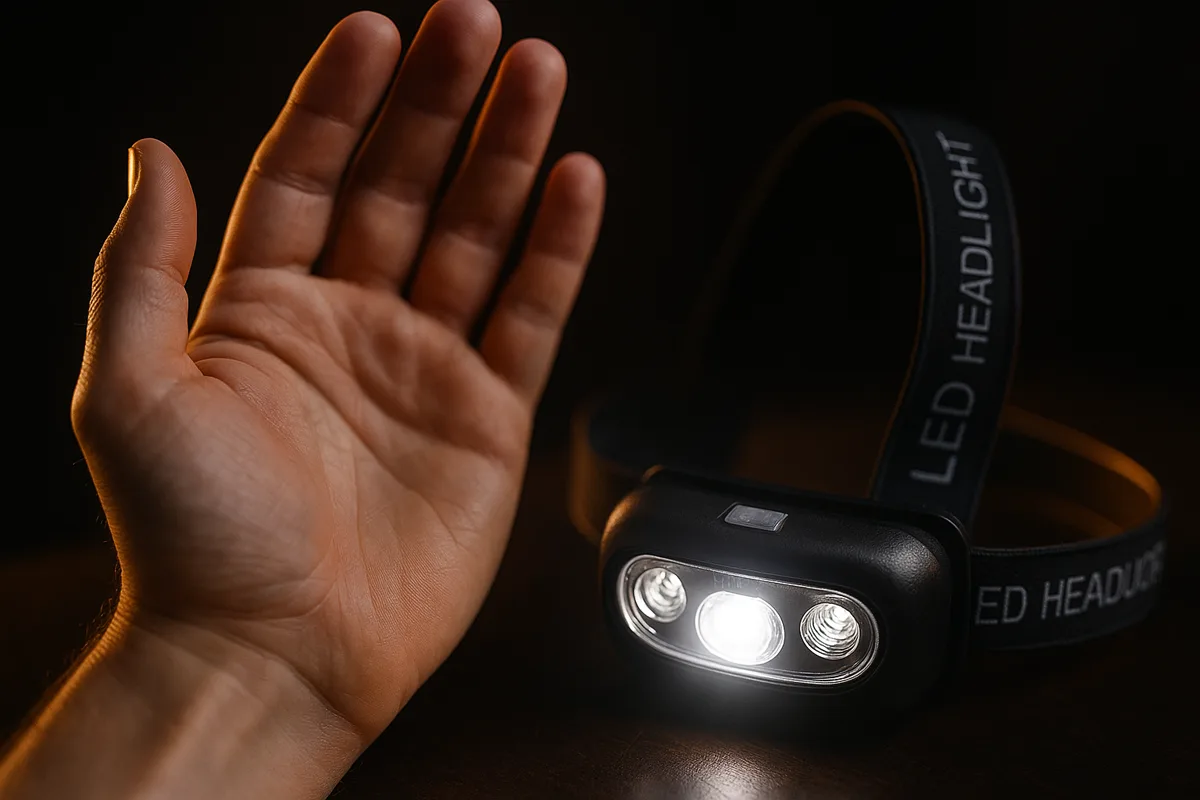
The sensor is a small infrared (IR) emitter and receiver mounted next to the LEDs. It sends out a beam of invisible infrared light; when your hand passes a few inches in front of the lamp, that light reflects off your palm and back to the receiver, and the lamp reads the bounce as a "gesture" and toggles the light. Because it responds to reflected IR rather than to a physical press, it works with cold fingers, thick gloves, wet hands or greasy hands — the exact conditions in which a tiny rubber button is hardest to find. It also works in complete darkness, since it makes its own light to sense with rather than relying on the ambient scene.
A short, deliberate wave is all it takes: hold your hand flat, sweep it once across the front of the lamp, and pull it back. There is no menu and no timing to learn — one clean pass on, one clean pass off.
Precise by design
The sensor uses a short detection range on purpose, so only a hand within a few inches counts — a deliberate wave turns it on or off cleanly. For fine close-up work — fixing a watch, tying flies, reading a map pressed to your chest — switch to the button-controlled normal mode so your hands stay free to work without touching the light at all.
When to turn the sensor off
Hands-free control is the star feature, but it is not the right mode every minute. Turn the sensor off with the physical button when you are: doing detailed work right in front of your face, sitting in a group where people move past you constantly, packing the lamp into a bag (so it doesn’t switch on and drain in transit), or riding in a car where passing scenery and gestures could set it off. The button gives you an ordinary, predictable headlamp whenever you want one, and the sensor is a single press away the moment your hands fill up again. That combination — sensor when you need it, plain button when you don’t — is what makes it usable all day rather than a gimmick.
Sensor vs. a button-only headlamp
| Button-only lamp | LumenTrail sensor lamp | |
|---|---|---|
| Turn on with full hands | Put something down first | Wave — nothing to set down |
| Gloved / greasy fingers | Fumble for a small button | Wave still works |
| Close-up precision work | Fine | Switch to button mode |
| Learning curve | None | One wave — none |
Both modes live in the same lamp; you are never forced to choose one for good.
Sensor, USB-C and IPX4 in one lamp
The LumenTrail isn't only a sensor light — the same lamp gives you a bright center beam for distance, USB-C charging with a red/green indicator, and an IPX4 rating that shrugs off rain and sweat. Hands-free control, always charged, weatherproof — for $24.95.
Free shipping to 18 countries · 30-day money-back guarantee
Motion-sensor headlamp FAQ
How does a motion-sensor headlamp switch on?
A small infrared sensor sits beside the LEDs. With sensor mode on, you wave a hand a few inches in front of the lamp and it switches on or off — no button to find. It is the fastest way to control a light when your hands are gloved, greasy or full, which is exactly when you need light most.
Can I turn the sensor off?
Yes. A physical button lets you run the light in normal mode without the sensor, so an accidental wave near your face while working close-up will not toggle it. Turn the sensor back on any time you want true hands-free control.
Is the sensor reliable outdoors?
The wave sensor works by reflecting infrared off your hand, so it responds consistently in the dark, in the cold and with gloves on. Because the lamp is IPX4 water-resistant, rain and splashes will not stop it either.
How is it powered and charged?
A built-in battery recharges over USB-C with the included cable — no disposable AAA cells. A small indicator glows red while charging and green when full. Runtime is roughly 4–6 hours per charge depending on the mode you use.